Online course · 78 lessons · about 4 hours
Go viral with
animated films
you make in a day.
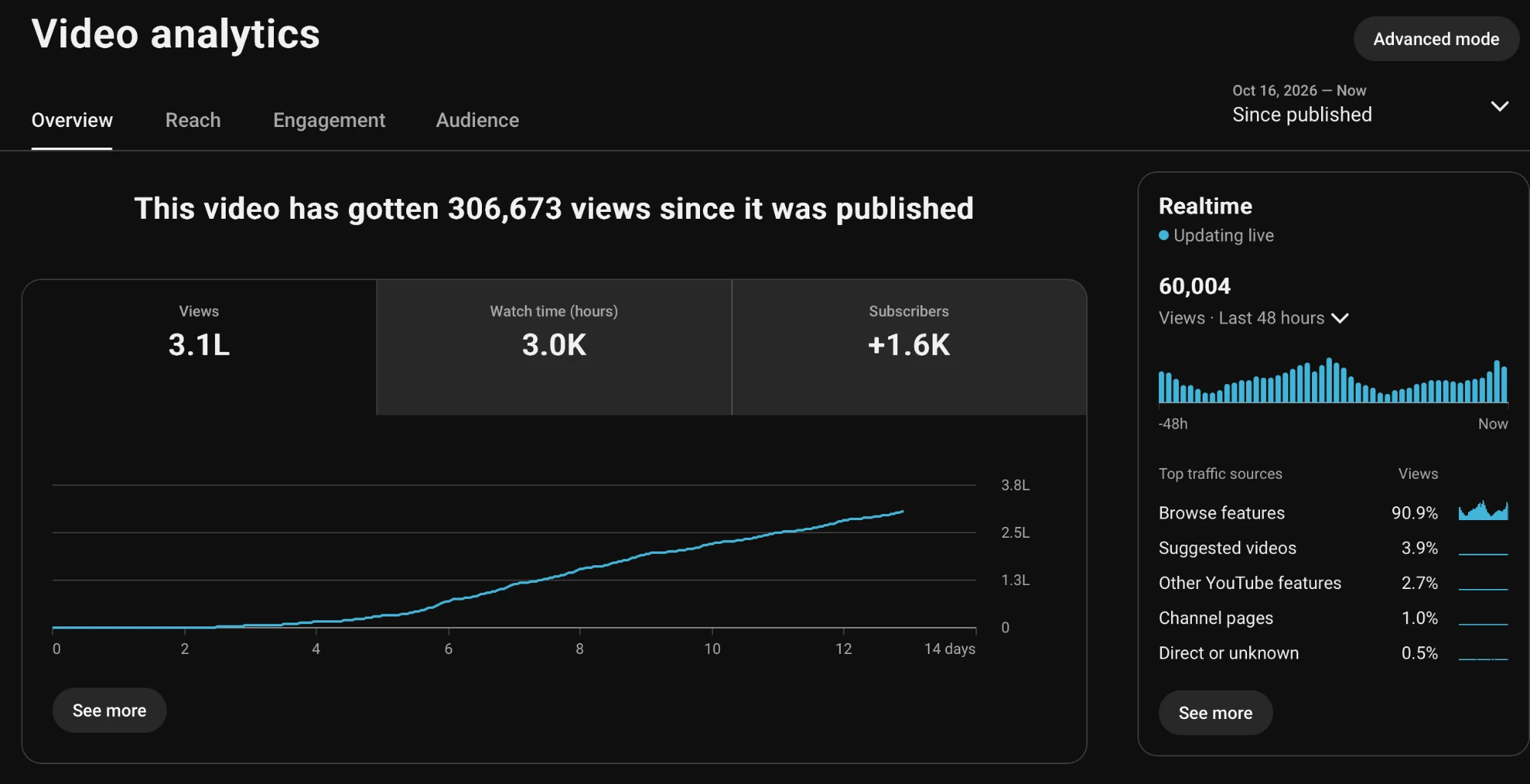
In less than 2 weeks, I gained 5.5K subscribers, and one of my videos got 300K views. This course shows you exactly how I made it, step by step, so you can make yours.
One payment, yours for life. You get every lesson at once, so there are no refunds. Already bought it? Sign in.
EllaSomeday… I'll see the sea.
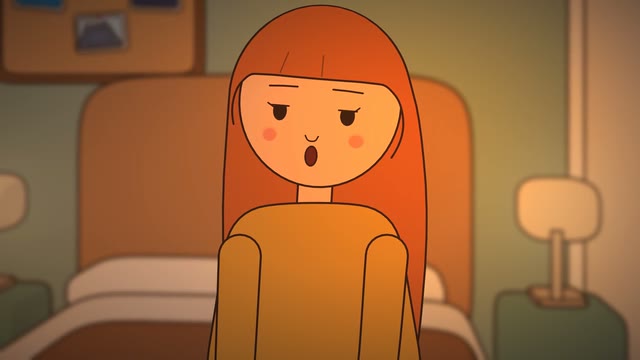
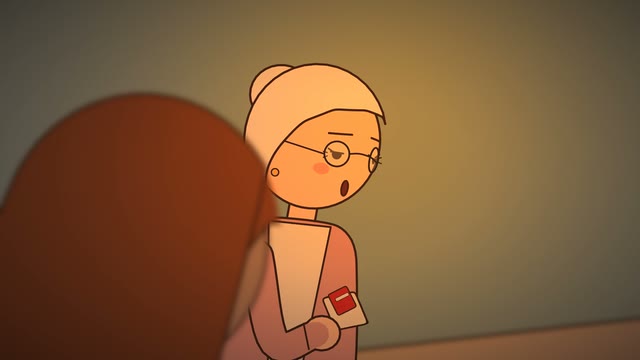
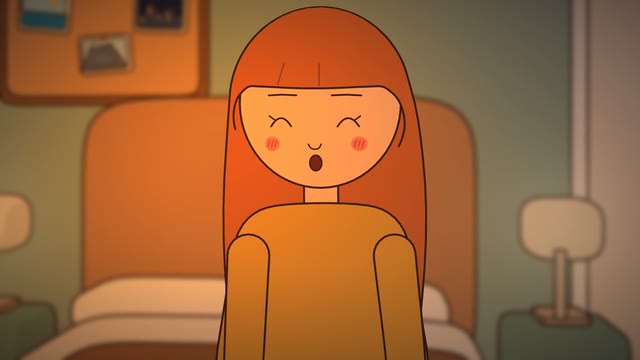
Clips from Someday Isn't a Day, a one-minute film made with Drawn Films: the app you'll make yours with.
Proof
What I got in less than 2 weeks
How a film gets made
You tell the story. The film gets made.
No drawing, no editing, no AI pictures. Real shots from Someday Isn't a Day, made this way, in both looks you get.
1 · You
Tell Claude the story
2 · Claude and Drawn Films
Every shot, planned and drawn
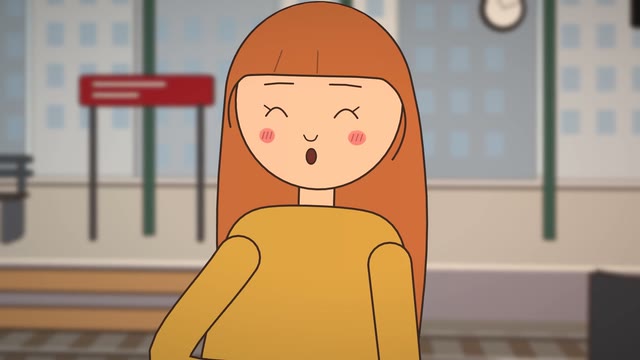
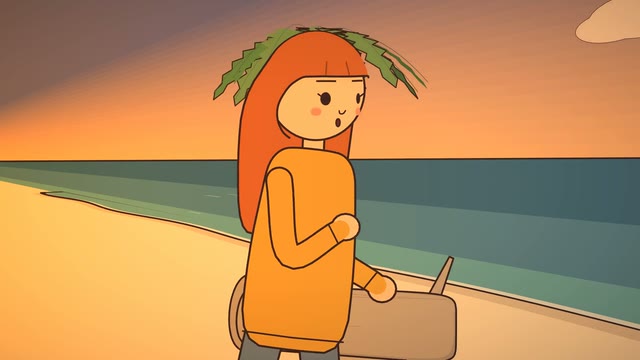
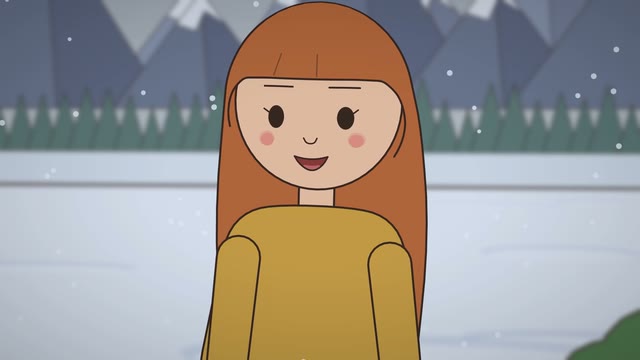
3 · Your film
Voiced, scored, 1080p
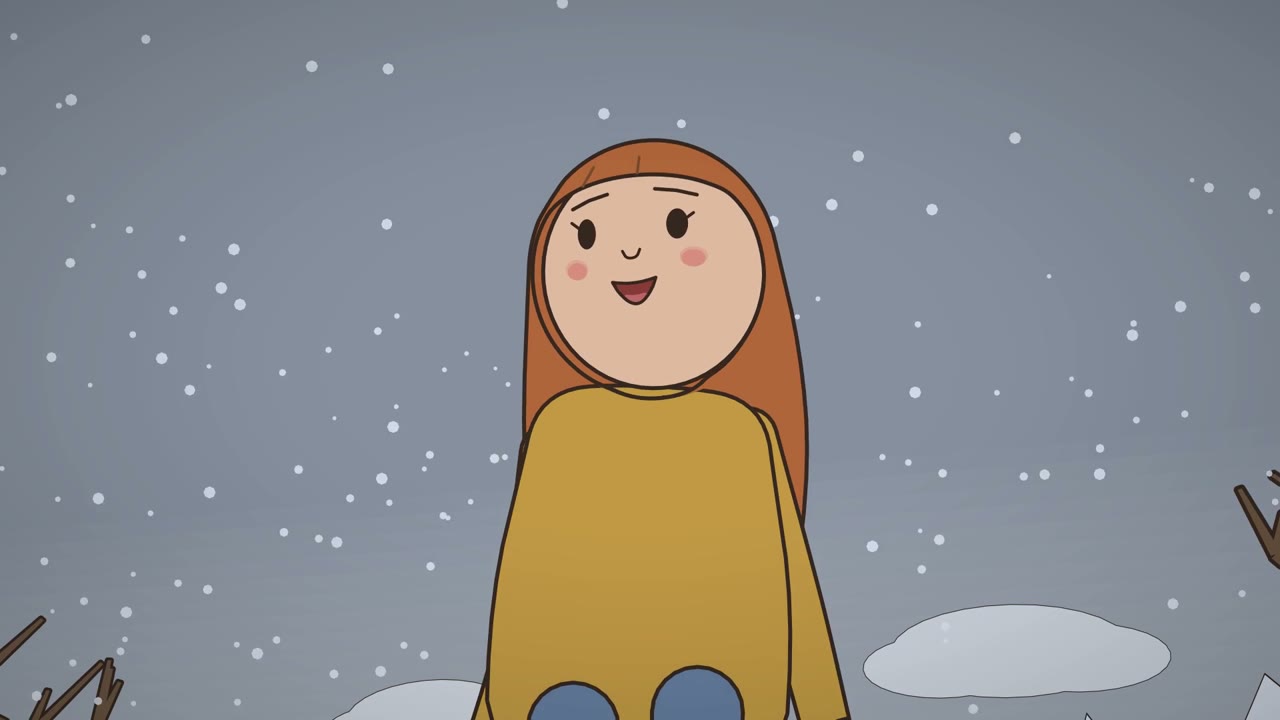
Your day
One film, from idea to upload
One example film runs through the whole course, and every lesson moves yours forward with it.
Morning
The idea
Set up your tools, then find an idea that's already working in your niche.
Parts 0–2
Midday
The story
Give it a hook, suspense and an ending that lands, then script it with Claude.
Parts 3–4
Afternoon
The making
Your character, the shots, the voices and music, and the 1080p render.
Part 5
Evening
The upload
A title and thumbnail people click, your channel set up, and it's live.
Parts 6–7
After: what to do when a video flops, how to keep going, and turning views into money (parts 8 to 10).
Is it for you?
Who this is for
It's for you if
- You've wanted a channel for a while, and you keep putting it off
- You have stories from your own life you'd love to tell
- You can't draw, animate or edit, and don't want to learn
- You're ready to spend a day, and some money, on making it happen
It's not for you if
- You want a promise of views. Nobody can honestly give you one
- You want to post the same video fifty times with new words
- You're waiting for a free way to do all of it
What's inside
11 parts and the Extras, 78 short lessons
Videos of 2 to 5 minutes, and short pages to read and come back to. Already know a tool? Skip its lessons.
Part 0Start here
- 0.1What you'll make todayThe finished film first, then the plan for the day: morning idea, midday story, afternoon making, evening uploadVideo · 3 min
- 0.2How this course worksThe four lesson types, the skip buttons, where to ask questionsText · 3 min
- 0.3What you'll needA checklist: a laptop or computer, Claude Pro, Drawn Films, ElevenLabs, Velio, a YouTube channel, and which plan of eachText · 3 min
- 0.4Why not just use AI video?Why no picture in your film is AI: the same face in every shot, real directing, what viewers notice, YouTube's rules and owning your filmText · 3 min
- 0.5Put something on yourselfWhy paying for what moves you forward is part of taking it seriously, what waiting for free really costs, and what it doesn't meanText · 3 min
Part 1Your toolsSkip what you know
- 1.1What is Claude?The AI you'll write and direct with; the Pro plan is all you needQuick intro · 2 min
- 1.2Set up ClaudeMake an account, pick a plan, install the Claude app and open its Code tab: nothing else to install; Claude's own getting-started video linkedSetup guide · 8 min
- 1.3Claude Code basicsThe Code tab in the Claude app: your films folder, answering Claude's permission questions, a new session for each film, going back to an old one, and the + menu for plugins and connectorsSetup guide · 4 min
- 1.4What is a connector?How Claude plugs into other tools (MCP), in plain wordsQuick intro · 2 min
- 1.5What is Drawn Films?Why Claude can't do this alone: every character designed by hand by us (never AI-generated) and animated in our engine; the shots, lighting and planning are ours too. Claude directs; Drawn Films draws and renders the 1080p film, and makes any place, outfit or pose your script needsQuick intro · 2 min
- 1.6Set up Drawn FilmsThe app, monthly or once (50% off with your code), or the free plugin you set up yourself, and adding the plugin in the Claude appSetup guide · 6 min
- 1.7A tour of the Drawn Films appYour characters and the customiser, your films, the minutes you have left, buying 30 more, and sharing to CommunityVideo · 4 min
- 1.8What is ElevenLabs?The voices for your characters: paste your key into Drawn Films once and it handles the rest; Eleven v4 for your own voiceoversQuick intro · 2 min
- 1.9Set up ElevenLabsMake an account through the link, make an API key, paste it into Drawn Films (Settings, Connections)Setup guide · 6 min
- 1.10What is Velio?Finding the videos that beat their channel's usual views (outliers)Quick intro · 2 min
- 1.11Set up VelioSign up with the 75% code, save channels in your niche, sort them into folders; Velio's tutorials linkedSetup guide · 6 min
- 1.12Connect Velio to ClaudeAdd Velio's connector to Claude, so Claude can pull outliers and transcripts for youSetup guide · 3 min
- 1.13Check it all worksOne question to Claude that uses Velio, and one look at the Drawn Films menuSetup guide · 3 min
Part 2Find the idea
- 2.1Pick your nicheSomething you've lived and love, that you could make videos about for at least 6 monthsVideo · 3 min
- 2.2Finding outliers with Velio and ClaudeClaude reads Velio through its connector: what's working in your niche, and whyText · 3 min
- 2.3What comments tell youReading comments to find what viewers actually feelText · 3 min
- 2.4Is this niche yours?A checklist: you've lived it, you love it, and you could keep making it for 6 monthsText · 3 min
Part 3Storytelling
- 3.1Why story beats everythingIn any niche, people stay for the story, not the drawingVideo · 3 min
- 3.2The shape of a short filmHook, build, turn, payoff, and how long each part takesVideo · 3 min
- 3.3A real film, taken apartThe example film broken down part by part, to show the structure workingText · 3 min
- 3.4The hookThe whole idea in the first 8 seconds, with no slow openingVideo · 3 min
- 3.5Hooks, good and badExamples side by side, and why each works or doesn'tText · 3 min
- 3.6SuspenseHold the truth back, reveal it at the endVideo · 3 min
- 3.7Keeping people watchingOpen questions, a clock running down, something that keeps getting worseVideo · 3 min
- 3.8The payoffAn ending that's earned and never needs explainingVideo · 3 min
- 3.9Emotion over everythingRelatable beats clever; how to make people feel seenVideo · 3 min
- 3.10Show it, don't say itFeelings in the face, the body and the light, and symbols that grow in the same shotVideo · 3 min
- 3.11Thoughts, memories and dreamsHow to show what's inside a character's headVideo · 3 min
- 3.12Lines that sound like real peopleShort, natural lines, and why neat slogan lines feel like AIVideo · 3 min
- 3.13Lines to avoidCommon slogan lines and what to write insteadText · 3 min
- 3.14PaceEvery scene must mean something; the story sets the lengthVideo · 3 min
- 3.15Teardown: my 250K-view filmMy 250K-view film taken apart, with its real retention graph and where its viewers came fromText · 4 min
- 3.16Teardown: a silent comedyDUCKS by AJ Jefferies: no words, a face for a hook, one thing that only gets weirder, and a three-word endingVideo · 3 min
- 3.17Teardown: a school comedySlideshow by Awesome3D: a situation everyone knows, one line of setup, and cutting to the faceVideo · 2 min
- 3.18Teardown: a kitchen comedyCEREAL! by Xierra Cansino: a tiny feeling made huge, a clue planted early, and an ending in one pictureVideo · 2 min
- 3.19Teardown: a storytimeI'm The WORST Thief by scribblejuice: a true story in your own voice, small stories on one thread, and ending on the feelingVideo · 3 min
Part 4Script it
- 4.1From idea to storyTelling Claude everything you want the film to show: the feeling, the moments, the characters, the endingVideo · 3 min
- 4.2Planning every scene with Claude and Drawn FilmsClaude sets up each scene: shots and angles, lighting, effects, sound and music. Then you cut what dragsVideo · 3 min
- 4.3What I told ClaudeThe full messages from the example film, to adapt to yoursText · 3 min
- 4.4Check your scriptA checklist before you make anythingText · 3 min
- 4.5When your script needs something newClaude makes any place, object, outfit or pose your script needs, and saves it to your accountVideo · 3 min
Part 5Make it cinematic with Drawn Films
- 5.1The face of your channelChoose your channel's character, make their hair, skin and outfits yours, then choose your placesVideo · 3 min
- 5.2Camera anglesEvery angle Drawn Films offers, a still of each, and when to use itText · 3 min
- 5.3Camera moves and transitionsPush-ins, pans and cuts, with a short clip of eachText · 3 min
- 5.4Lighting and moodHow light changes a feeling, with stillsText · 3 min
- 5.5Directing a sceneA close-up on every line, cutting on action, every shot movingVideo · 3 min
- 5.6Your one big momentOne cinematic moment per film, and where it goesVideo · 3 min
- 5.7Checking stills and fixing shotsReading the contact sheet and fixing only what's wrongVideo · 3 min
- 5.8VoicesEach character comes with its own voice; directing how each line is said, then listening and fixingVideo · 3 min
- 5.9Music and soundMusic under the whole film, effects on the right frameText · 3 min
- 5.10The final renderRendering the 1080p film and watching it backVideo · 3 min
- 5.11Before and afterThe example film's first draft next to the final, and what each fix changedVideo · 3 min
Part 6Title and thumbnail
- 6.1Titles people clickUsing Velio to find the title formats that work in your niche, with real numbersVideo · 3 min
- 6.2ThumbnailsUsing Velio to study the top thumbnails in your niche, then making yours from a Drawn Films still: a face, a feeling, a few big wordsVideo · 3 min
- 6.3Let YouTube's AI check themAsk Studio for title and thumbnail ideas, and A/B Testing (it was called Test & compare) to test themSetup guide · 6 min
Part 7Upload
- 7.1Set up your channelThe name, handle, profile picture and banner (with your character), and the About textSetup guide · 6 min
- 7.2Upload settingsDescription, chapters, captions (the file Drawn Films makes), the AI disclosure, the best time to postText · 3 min
- 7.3Reading your numbersClick-through and watch time, and which one to fix firstText · 3 min
Part 8Keep going
- 8.1Your first videos will probably flopWhy that's normal, and what it doesn't meanVideo · 3 min
- 8.2Posting when nobody's watchingHow to keep goingVideo · 3 min
- 8.3What to change after a flopTitle, thumbnail, hook, or the idea: how to tell whichText · 3 min
- 8.4Your next 30 daysFilms 2 to 5, week by week, and what to change each timeText · 3 min
Part 9Turning views into money
- 9.1How the Partner Programme worksWhat you need to join, and what each kind of earning needsText · 3 min
- 9.2Staying monetisableWhy YouTube cuts off mass-produced AI content, and how an original story, your own niche and one character keep you safeVideo · 3 min
- 9.3Beyond adsMerch, a shop and sponsors: what I'm doing now, with no income claimsVideo · 3 min
Part 10My takes
- 10.1My storyA year of putting it off, and the videos I deleted at zero viewsVideo · 2 min
- 10.2What I do when a video flopsMaking it private and posting it again a few days later; what worked for me, not a guaranteed trickVideo · 3 min
- 10.3What my 250K-view film taught meHow it got to 250K viewsVideo · 2 min
- 10.4What I'd tell myself at video 1The things I wish I'd knownVideo · 2 min
Extras
- E.1TroubleshootingFixes for the plugin not connecting, an ElevenLabs key running out, a render that failedText · 3 min
- E.2GlossaryHook, retention, CTR, outlier, connector and the rest, in plain wordsText · 3 min
- E.350 film ideasFive ideas in each of 10 niches, for when you're stuck at step 1Text · 4 min
- E.4Set up the free pluginDrawn Films' free, open-source plugin on your own computer: ffmpeg, the install, your ElevenLabs key, where your films go, and fixesSetup guide · 15 min

Who's teaching
Hi, I make animated films for YouTube
I put my channel off for a year. When I finally started, I deleted my first videos at zero views.
Then I started making short animated films about something I'd lived. In less than 2 weeks, one of them got 300K views and I gained 5.5K subscribers.
This course is exactly how I make them now: researched, scripted and made in a day. You'll make yours alongside me, one lesson at a time.
Questions
Before you buy
Do I need to be able to draw or animate?
No. Drawn Films draws every character and animates every move, face and hand. You direct it with Claude, and the course shows you how, shot by shot.
I've never used Claude, ElevenLabs or Velio.
That's who it's made for. Every tool gets a plain intro first, then a setup guide with screenshots. If you already use one, the lesson opens with a button to skip it.
Is it really one day?
The lessons are about 3 hours of short videos and pages, made to do alongside your own film: the idea in the morning, the upload in the evening. Your first film might spill into a second evening, and that's fine.
What else will it cost?
Claude Pro, ElevenLabs and Velio are monthly. The Drawn Films app is monthly or paid once, and the course gets you 50% off it. You also get 75% off your first month of Velio. Lesson 0.3 lists them all.
Does my film have to be about the same things as yours?
No, and it's better if it isn't. 2D animation works in any niche. Part 2 helps you pick something you've lived and love, that you could keep making for at least 6 months.
How long do I keep it?
For life: one payment, every lesson, and every lesson added later.
Can I get a refund?
No. You get every lesson the moment you pay, so there are no refunds, and at checkout you tick a box to say you understand. If something on the site doesn't work for you, email hello@emberandshadow.com and we'll fix it.
What if I get stuck?
Ask in the comments under the lesson you're on. That's where questions get answered, so the next person finds the answer there too.
Before you decide
Free has a price too
I put my channel off for a year, waiting until I felt ready. That year wasn't free. It cost me a year.
Most people who want a channel spend months looking for the free way: a free tool here, a free tutorial there, a trial that runs out the week they finally start. They're not saving anything. They're paying in time.
You show up for it
When you've put money on something, you finish it. That's most of the battle with a first film.
You get there faster
One path, in order, from someone who's done it, instead of fifty videos that disagree.
It's a risk you choose
A channel is full of risks you can't choose. Taking a small one on purpose is how you start.
Make the film you keep putting off.
One payment, yours for life. You get every lesson at once, so there are no refunds.